Momentum
Price change over the last Length bars in price units, around a zero line.
- Mom
- Built into Spectral
- Updates every tick
- momentum
- price change
- oscillator
- zero line
MIT-0: free to use, change and share, no attribution needed. What you build from it is yours.
Already in Spectral: add it from the Indicators toolbox. The file here is the same indicator written as a custom indicator, to change or learn from. Installed, it appears next to the built-in one, marked Custom.
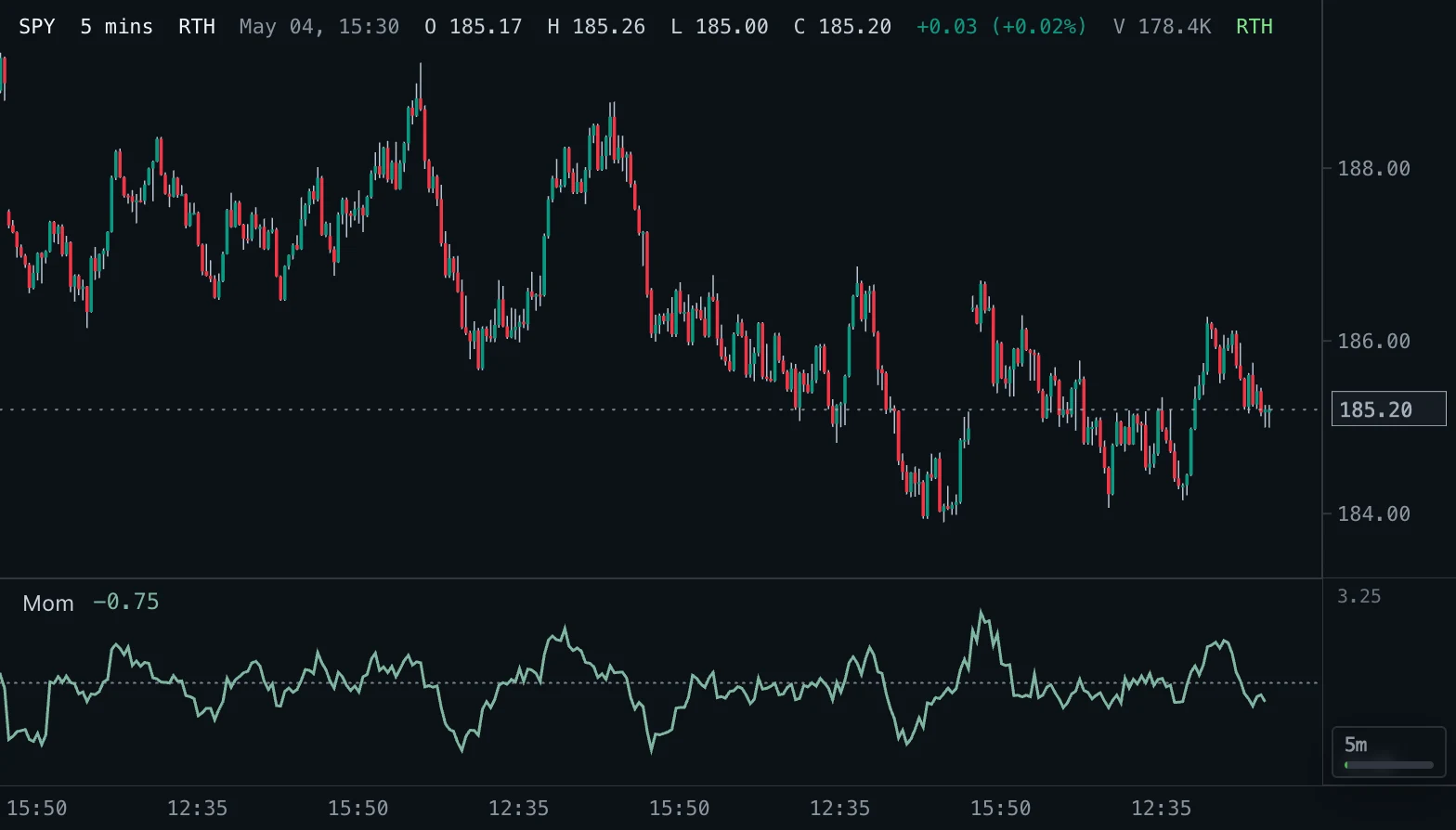
Overview
Momentum is the difference between the current price and the price Length bars ago, in price units. Positive values mean price is higher than it was, negative values lower.
How to read it
Above zero price has risen over the lookback, below zero it has fallen. A rising line shows the move gaining speed; a line that turns while price still makes new highs or lows shows it losing speed, often before price turns.
Zero-line crosses mark the moment price returns to where it was Length bars ago. Values are in price units, so they are not comparable across instruments or very different price levels; use Rate of Change for that.
Settings and limitations
Length defaults to 10 bars, as on TradingView. Shorter lengths react faster and cross zero more often. The first value appears on bar Length + 1 (bar 11 with the default).
Notes
Matches Momentum on TradingView and most platforms: price minus the price Length bars ago.
Settings
Each setting appears in the indicator's settings panel in Spectral, next to a color setting for every output.
| Setting | Type | Default | Range or options | What it does |
|---|---|---|---|---|
| Length | Whole number | 10 | 1 – 1000 | Bars back the current price is compared with. |
| Source | Price source | close | open, high, low, close, hlc3 | Price the change is calculated from. |
Presets
Each preset is its own entry in the Indicators toolbox, with these settings changed.
| Toolbox entry | Short name | Settings |
|---|---|---|
| Momentum (20) | Mom 20 | Length: 20 |
What it draws
Lines
- Momentumsolid · 1.5 px · primary
#7FB5A0
Levels
- Zero linedotted · 1 px
#788493
Source
Save it as momentum.js and add it with Indicators → Custom indicators → Add file…. The format is explained in the custom indicators guide.
// Copyright (c) 2026 Spectral
// SPDX-License-Identifier: MIT-0
// Free to use, copy, modify and share: https://spectral.trade/docs/custom-indicators/LICENSE.txt
/** @type {import('./spectral-indicator').IndicatorV2} */
export default {
  schemaVersion: 2,
  id: 'momentum',
  name: 'Momentum',
  shortName: 'Mom',
  version: '1.0.0',
  author: 'Spectral',
  description: 'Price change over the last Length bars in price units, around a zero line.',
  pane: 'oscillator',
  live: { lookback: 'length' },
  inputs: {
    length: { type: 'integer', label: 'Length', default: 10, min: 1, max: 1000, description: 'Bars back the current price is compared with.' },
    source: { type: 'source', label: 'Source', default: 'close', description: 'Price the change is calculated from.' },
  },
  plots: {
    momentum: { label: 'Momentum', color: '#7FB5A0', lineWidth: 1.5, primary: true },
  },
  levels: {
    zero: { label: 'Zero line', color: '#788493', lineStyle: 'dotted' },
  },
  presets: [
    { id: 'mom-20', name: 'Momentum (20)', shortName: 'Mom 20', inputs: { length: 20 } },
  ],
  docs: {
    overview: 'Momentum is the difference between the current price and the price Length bars ago, in price units. Positive values mean price is higher than it was, negative values lower.',
    howToRead: 'Above zero price has risen over the lookback, below zero it has fallen. A rising line shows the move gaining speed; a line that turns while price still makes new highs or lows shows it losing speed, often before price turns.\n\nZero-line crosses mark the moment price returns to where it was Length bars ago. Values are in price units, so they are not comparable across instruments or very different price levels; use Rate of Change for that.',
    settings: 'Length defaults to 10 bars, as on TradingView. Shorter lengths react faster and cross zero more often. The first value appears on bar Length + 1 (bar 11 with the default).',
    notes: 'Matches Momentum on TradingView and most platforms: price minus the price Length bars ago.',
  },
  calculate(ctx) {
    const { bars, inputs, ta } = ctx;
    return { plots: { momentum: ta.change(ta.source(bars, inputs.source), inputs.length) }, levels: { zero: 0 } };
  },
};
Adapt it with an LLM
Paste this into your assistant and replace the second-to-last line with the change you want.
Start from this Spectral custom indicator: https://spectral.trade/indicators/momentum.js
Format reference: https://spectral.trade/docs/custom-indicators.llm.md
Keep the file format and every rule of the reference; give the result a new id, name, shortName and version, and update docs and input descriptions to match.
Keep its live updates exact and fast (section "Fast live updates" of the reference): carry values from bar to bar only through ctx.ta, and raise live.lookback if the change reads further back; Spectral rejects a file whose live updates differ from a full recalculation or are too slow.
Change I want: <describe the change>
Answer with the complete file in one code block, ready to save as <id>.js.
Related indicators
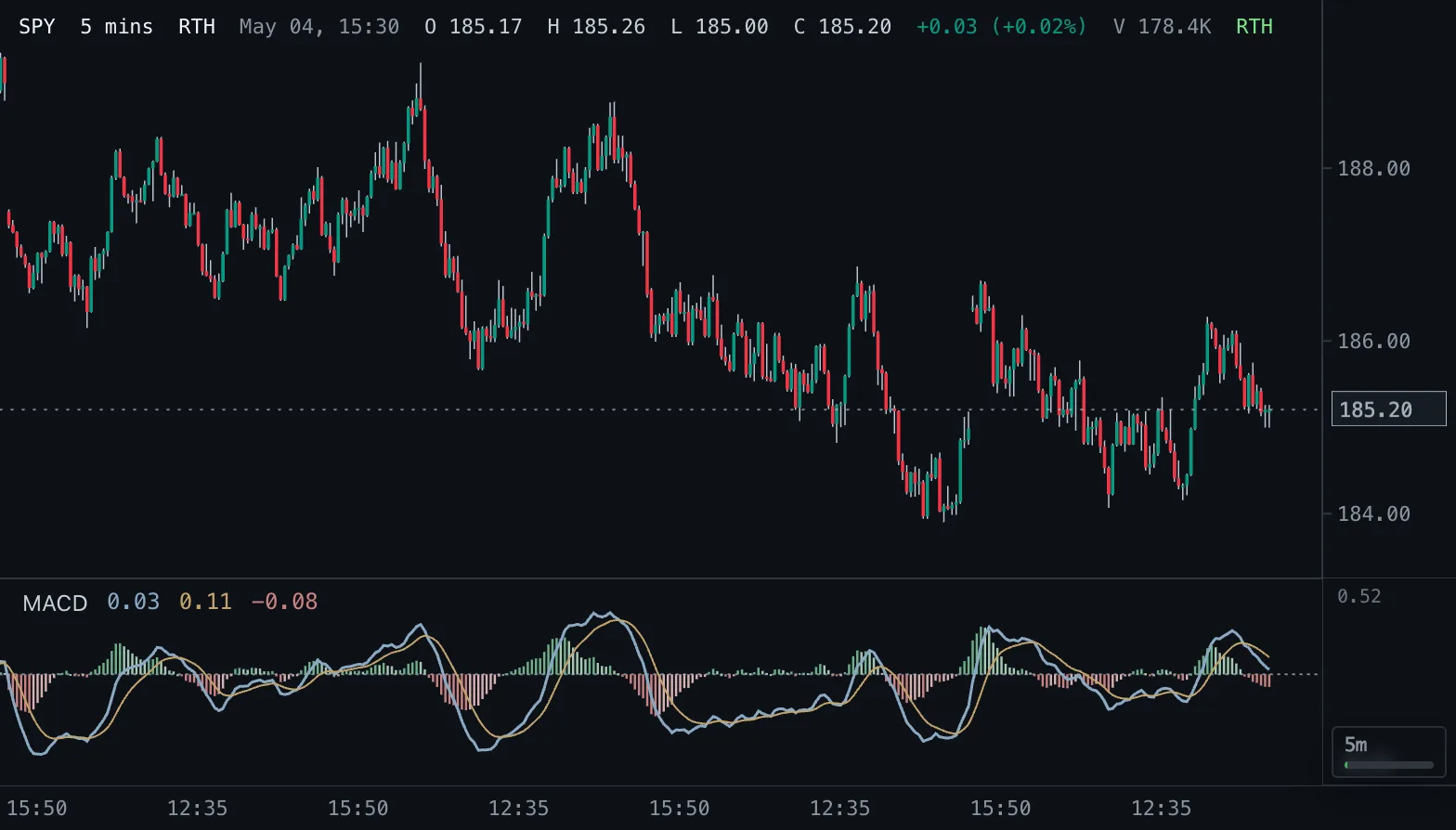
Moving Average Convergence Divergence MACD
MACD line, signal line and a four-color histogram that shows whether momentum is rising or falling.
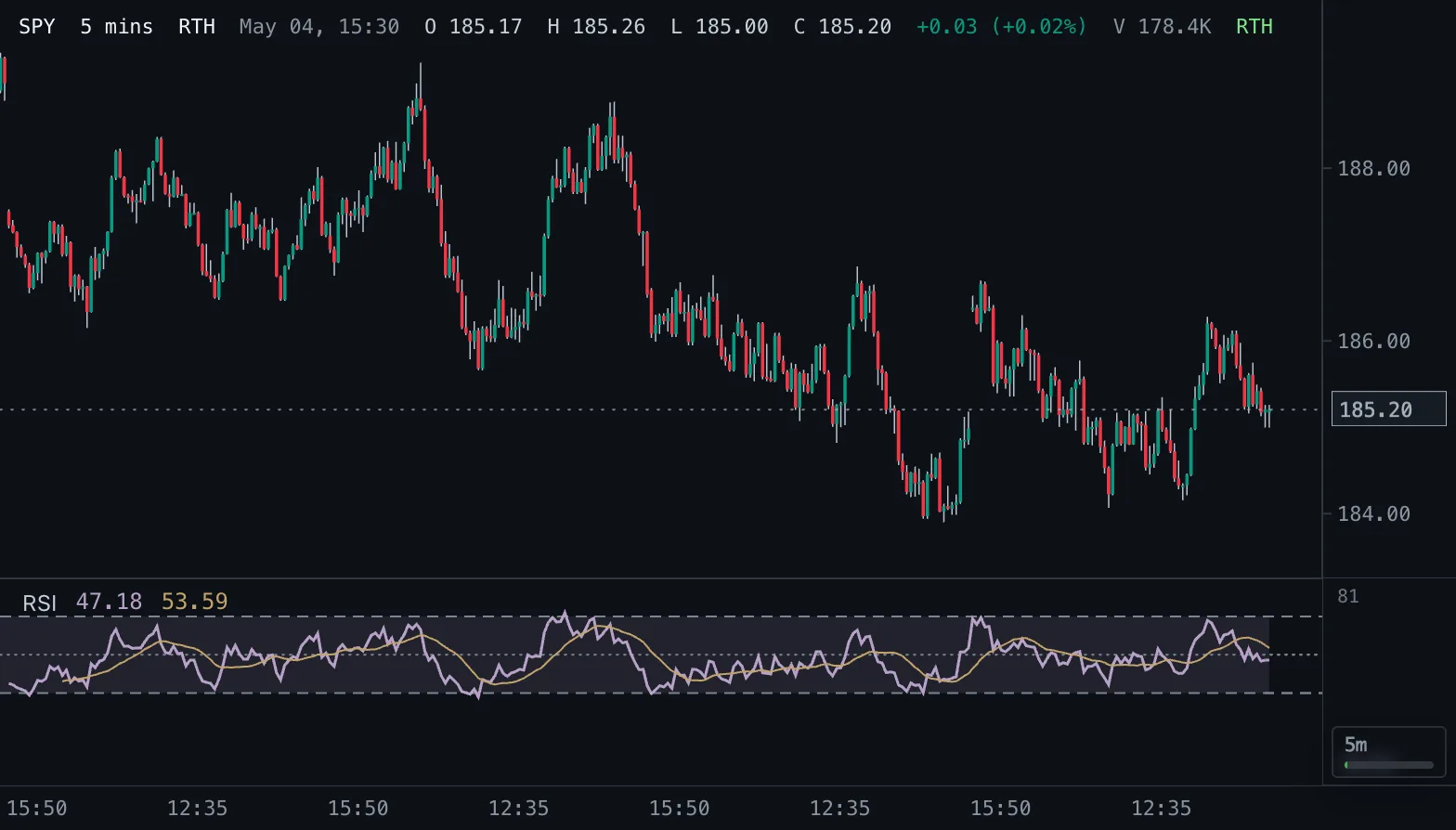
Relative Strength Index RSI
Wilder RSI on a 0-100 scale with a smoothing average and 30/50/70 reference bands.
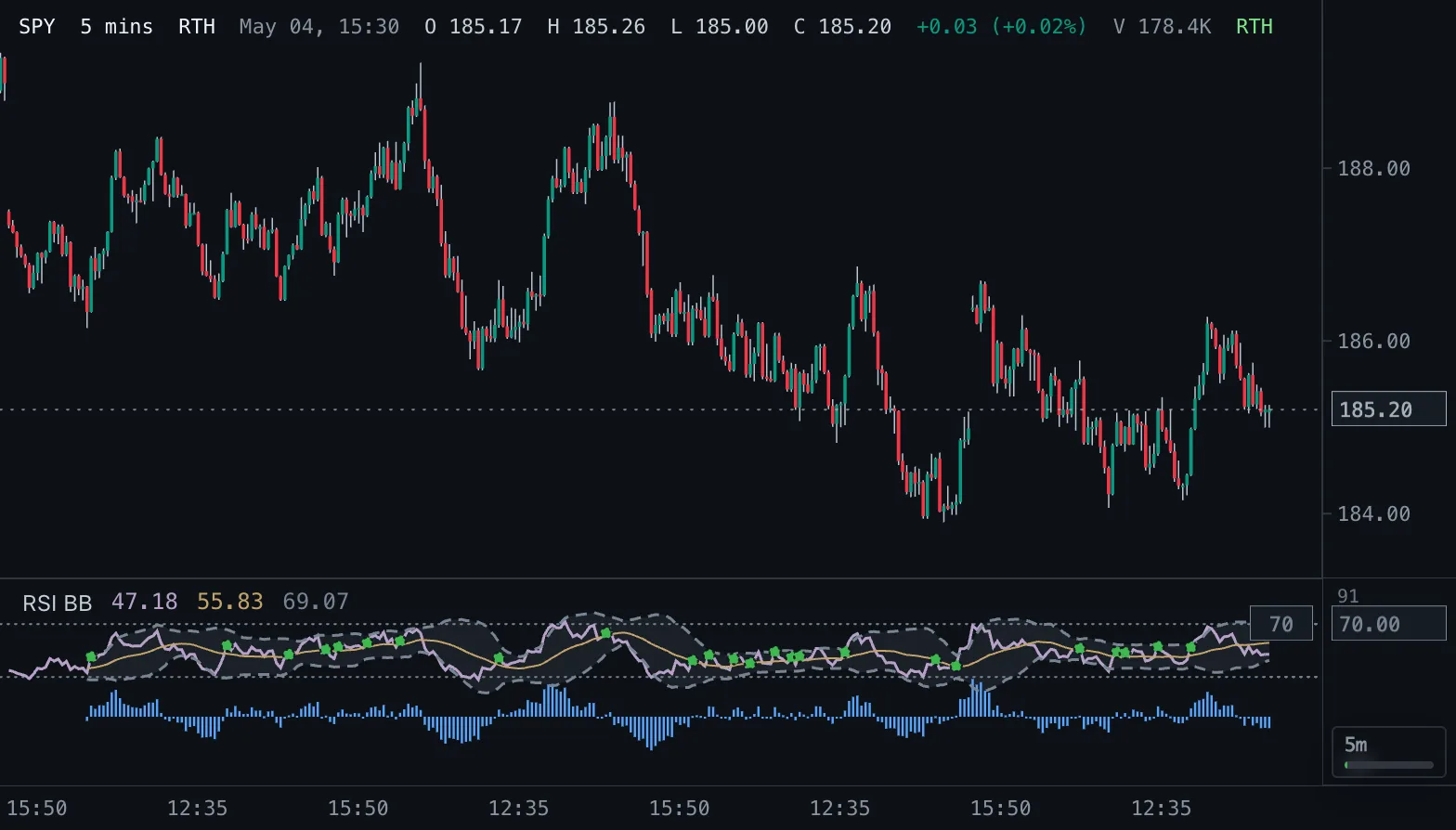
RSI with Bollinger Bands RSI BB
RSI with a Bollinger envelope around its moving average, 30/70 guides and crossover dots.