On Balance Volume
Running total of volume that adds the volume of up closes and subtracts the volume of down closes, with an optional signal line.
- OBV
- Built into Spectral
- Updates every tick
- Uses volume
- on balance volume
- obv
- accumulation
- divergence
- volume trend
MIT-0: free to use, change and share, no attribution needed. What you build from it is yours.
Already in Spectral: add it from the Indicators toolbox. The file here is the same indicator written as a custom indicator, to change or learn from. Installed, it appears next to the built-in one, marked Custom.
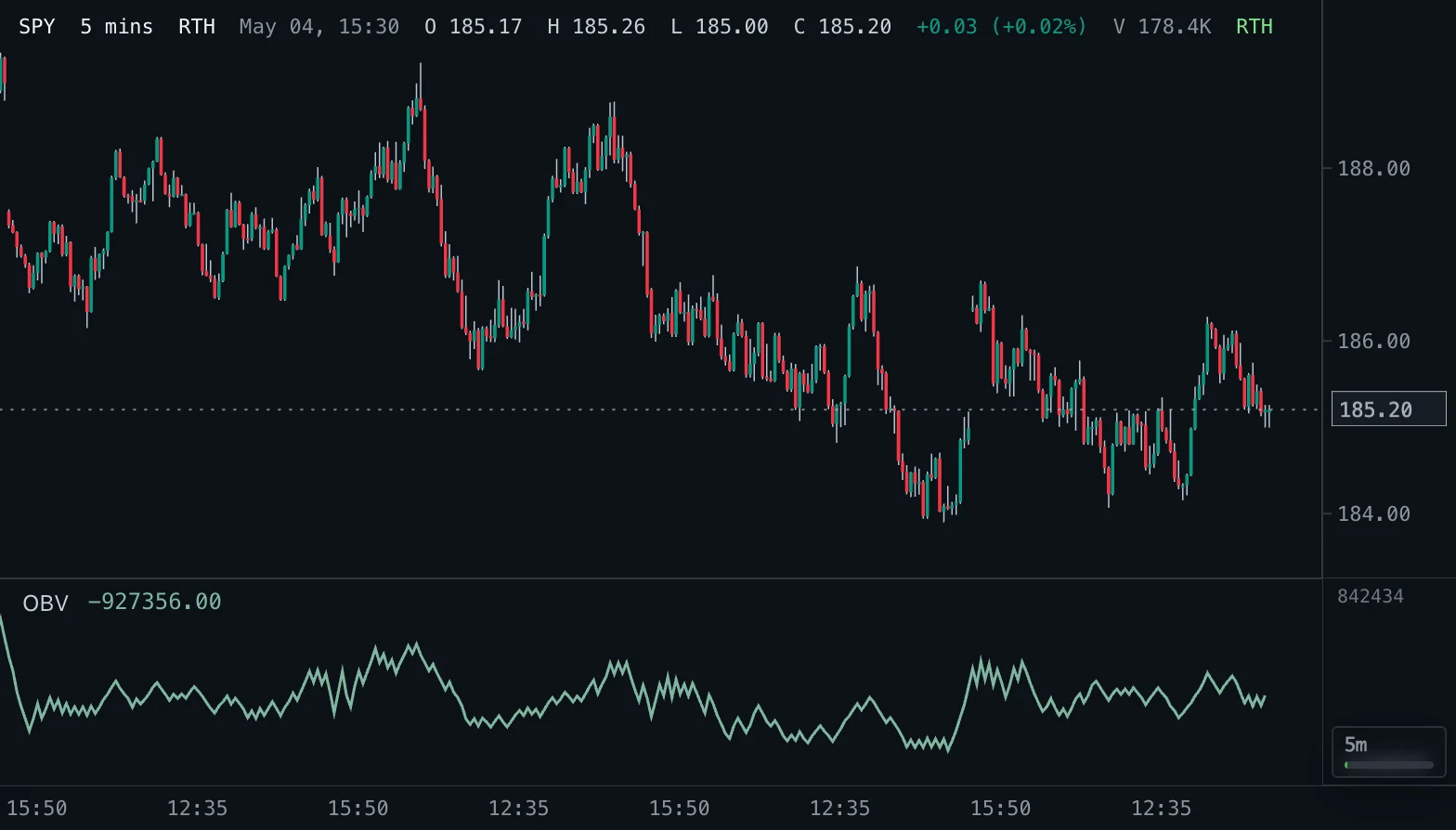
Overview
On Balance Volume keeps a running total of volume. When a bar closes higher than the previous close, its whole volume is added; when it closes lower, its whole volume is subtracted; when the close is unchanged, the total stays as it is. The line starts at zero on the first loaded bar.
The idea is that volume leads price: steady buying shows up as a rising total before, or while, price rises, and steady selling as a falling total. An optional signal line (a simple moving average of OBV) smooths the total.
How to read it
Read the direction and the shape of the line, not its absolute value. A rising OBV confirms an uptrend; an OBV that makes new highs before price does often hints at a coming breakout, and an OBV that fails to follow price to a new high or low is a divergence that warns of weakening momentum.
With the signal line on, OBV above its signal means volume pressure is currently positive, and a cross of the two marks a change in that pressure. OBV counts the whole volume of a bar by the direction of its close, so one large bar can move the line a lot; it says nothing about how that volume was split between buyers and sellers inside the bar.
Settings and limitations
Signal line switches the moving average on or off. Signal length sets its window (20 is a common choice; longer is smoother and later). The signal line starts after Signal length bars.
OBV is cumulative, so its level depends on how much history is loaded: scrolling back loads older bars and shifts the whole line up or down without changing its shape. Compare slopes and divergences, never the number itself. It works on every bar size.
Notes
This is the standard On Balance Volume of Joseph Granville: close above the previous close adds volume, close below subtracts it, an unchanged close adds nothing. TradingView uses the same rule; its line differs from this one only by a constant offset when the chart loads a different amount of history. A bar without volume adds nothing. The signal line is a simple moving average, as in common platform presets.
Settings
Each setting appears in the indicator's settings panel in Spectral, next to a color setting for every output.
| Setting | Type | Default | Range or options | What it does |
|---|---|---|---|---|
| Signal line | On / off | Off | — | Draw a simple moving average of OBV as a signal line. |
| Signal length | Whole number | 20 | 2 – 500 | Number of bars in the signal line average. Only used when the signal line is on. |
Presets
Each preset is its own entry in the Indicators toolbox, with these settings changed.
| Toolbox entry | Short name | Settings |
|---|---|---|
| OBV with signal (20) | OBV S20 | Signal line: trueSignal length: 20 |
| OBV with signal (50) | OBV S50 | Signal line: trueSignal length: 50 |
What it draws
Lines
- OBVsolid · 1.5 px · primary
#7FB5A0 - Signalsolid · 1 px
#C4A46A
Source
Save it as obv.js and add it with Indicators → Custom indicators → Add file…. The format is explained in the custom indicators guide.
// Copyright (c) 2026 Spectral
// SPDX-License-Identifier: MIT-0
// Free to use, copy, modify and share: https://spectral.trade/docs/custom-indicators/LICENSE.txt
/** @type {import('./spectral-indicator').IndicatorV2} */
export default {
  schemaVersion: 2,
  id: 'obv',
  name: 'On Balance Volume',
  shortName: 'OBV',
  version: '1.0.0',
  author: 'Spectral',
  description: 'Running total of volume that adds the volume of up closes and subtracts the volume of down closes, with an optional signal line.',
  pane: 'oscillator',
  live: { lookback: 1 },
  usesVolume: true,
  inputs: {
    showSignal: { type: 'boolean', label: 'Signal line', default: false, description: 'Draw a simple moving average of OBV as a signal line.' },
    signalLength: { type: 'integer', label: 'Signal length', default: 20, min: 2, max: 500, description: 'Number of bars in the signal line average. Only used when the signal line is on.' },
  },
  plots: {
    obv: { label: 'OBV', color: '#7FB5A0', lineWidth: 1.5, primary: true },
    signal: { label: 'Signal', color: '#C4A46A' },
  },
  presets: [
    { id: 'signal-20', name: 'OBV with signal (20)', shortName: 'OBV S20', inputs: { showSignal: true, signalLength: 20 } },
    { id: 'signal-50', name: 'OBV with signal (50)', shortName: 'OBV S50', inputs: { showSignal: true, signalLength: 50 } },
  ],
  docs: {
    overview: 'On Balance Volume keeps a running total of volume. When a bar closes higher than the previous close, its whole volume is added; when it closes lower, its whole volume is subtracted; when the close is unchanged, the total stays as it is. The line starts at zero on the first loaded bar.\n\nThe idea is that volume leads price: steady buying shows up as a rising total before, or while, price rises, and steady selling as a falling total. An optional signal line (a simple moving average of OBV) smooths the total.',
    howToRead: 'Read the direction and the shape of the line, not its absolute value. A rising OBV confirms an uptrend; an OBV that makes new highs before price does often hints at a coming breakout, and an OBV that fails to follow price to a new high or low is a divergence that warns of weakening momentum.\n\nWith the signal line on, OBV above its signal means volume pressure is currently positive, and a cross of the two marks a change in that pressure. OBV counts the whole volume of a bar by the direction of its close, so one large bar can move the line a lot; it says nothing about how that volume was split between buyers and sellers inside the bar.',
    settings: 'Signal line switches the moving average on or off. Signal length sets its window (20 is a common choice; longer is smoother and later). The signal line starts after Signal length bars.\n\nOBV is cumulative, so its level depends on how much history is loaded: scrolling back loads older bars and shifts the whole line up or down without changing its shape. Compare slopes and divergences, never the number itself. It works on every bar size.',
    notes: 'This is the standard On Balance Volume of Joseph Granville: close above the previous close adds volume, close below subtracts it, an unchanged close adds nothing. TradingView uses the same rule; its line differs from this one only by a constant offset when the chart loads a different amount of history. A bar without volume adds nothing. The signal line is a simple moving average, as in common platform presets.',
  },
  calculate(ctx) {
    const { bars, inputs, ta } = ctx;
    const count = bars.length;
    // Each bar's signed volume by the direction of its close; ta.cum keeps the running total across bars.
    const moves = bars.map((bar, index) => {
      if (index === 0) return 0;
      const volume = Number(bar.volume);
      const traded = Number.isFinite(volume) && volume > 0 ? volume : 0;
      const previousClose = bars[index - 1].close;
      if (bar.close > previousClose) return traded;
      if (bar.close < previousClose) return -traded;
      return 0;
    });
    const obv = ta.cum(moves);
    const signal = inputs.showSignal ? ta.sma(obv, inputs.signalLength) : new Array(count).fill(null);
    return { plots: { obv, signal } };
  },
};
Adapt it with an LLM
Paste this into your assistant and replace the second-to-last line with the change you want.
Start from this Spectral custom indicator: https://spectral.trade/indicators/obv.js
Format reference: https://spectral.trade/docs/custom-indicators.llm.md
Keep the file format and every rule of the reference; give the result a new id, name, shortName and version, and update docs and input descriptions to match.
Keep its live updates exact and fast (section "Fast live updates" of the reference): carry values from bar to bar only through ctx.ta, and raise live.lookback if the change reads further back; Spectral rejects a file whose live updates differ from a full recalculation or are too slow.
Change I want: <describe the change>
Answer with the complete file in one code block, ready to save as <id>.js.
Related indicators
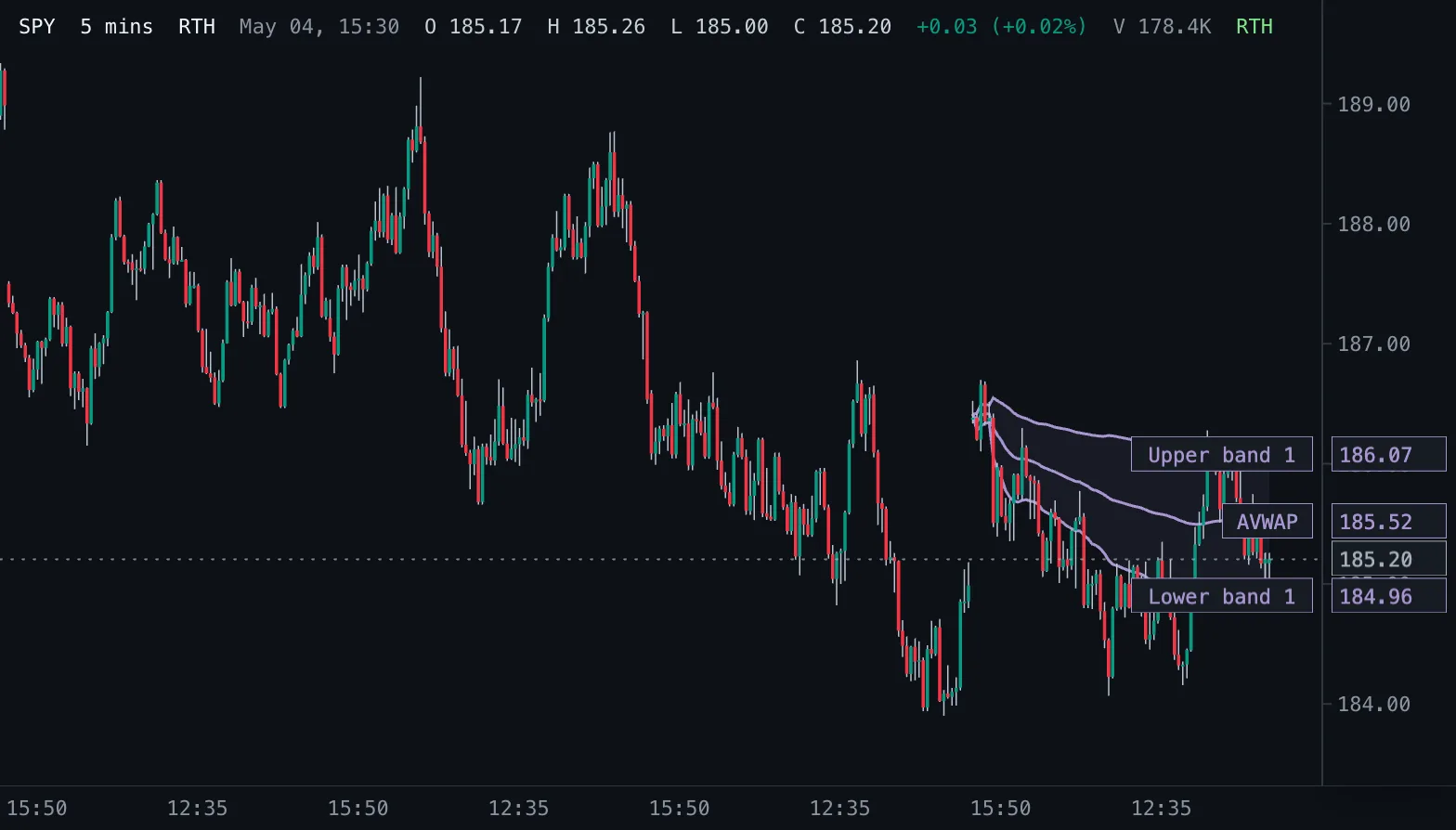
Anchored VWAP AVWAP
Volume-weighted average price counted from a chosen start time, with optional volume-weighted standard deviation bands.
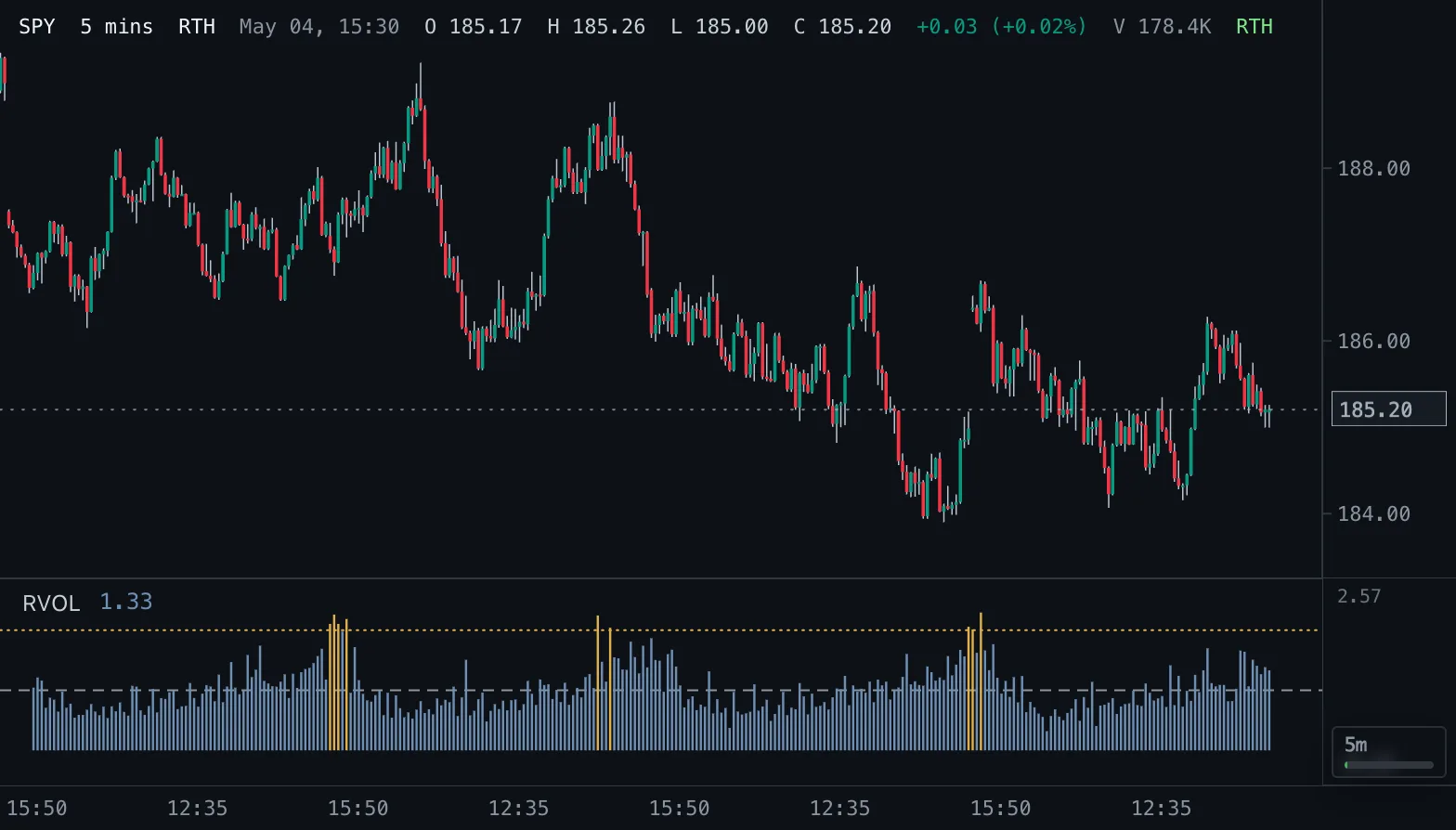
Relative Volume RVOL
Volume as a multiple of normal: against the average of the prior bars, or against the same time of day on earlier sessions.
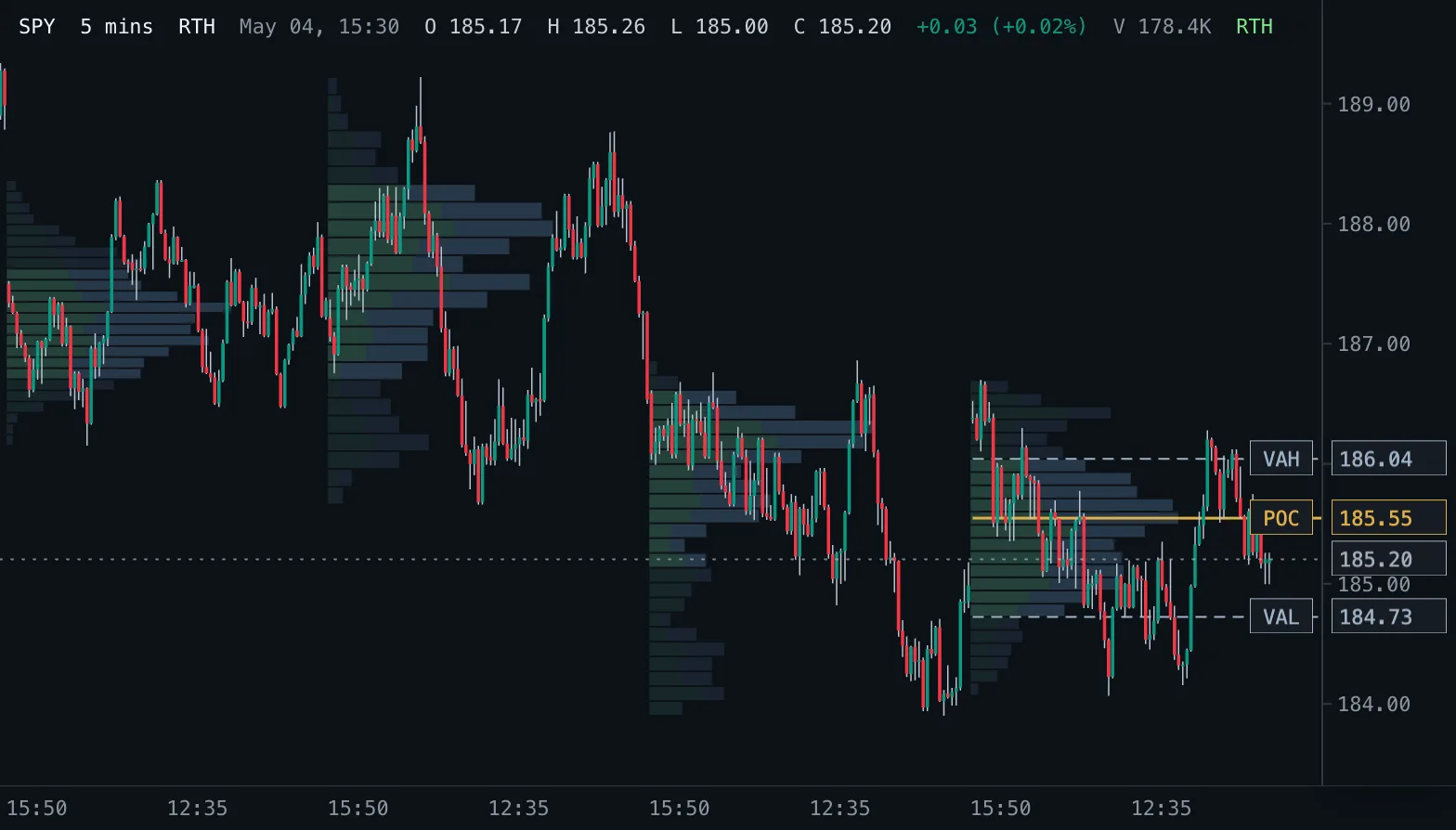
Volume Profile VP
Volume traded at each price as horizontal rows, per session, over a fixed range or for the bars on screen, with point of control and value area.